







PayPal is the best way to receive foreign currency. However, before you can enjoy all its features, you must understand How To Verify PayPal Account correctly. Verification is a required step that confirms your identity and bank details, making your account secure and fully functional.
My name is Thabiso, an e-prenour, an investor, and a forex trader. I have been earning money online since 2020. My main withdrawal methods are PayPal and Binance, so I know a lot about using PayPal in South Africa.
What Does It Mean to Verify PayPal Account
When you verify your PayPal account, you are proving that:
Verification connects your PayPal account to your local South African bank account. This allows you to withdraw money and removes most account limits.
Requirements to Verify PayPal Account in South Africa
Before starting the process of How To Verify PayPal Account, make sure you have everything ready.
You will need:
Most major South African banks work with PayPal, including FNB, Standard Bank, Absa, Nedbank, and Capitec
FNB plays a key role in linking PayPal withdrawals, even if you use another bank.
Step-by-Step Guide: How To Verify PayPal Account
This section explains How To Verify PayPal Account step by step in the easiest way possible.
Step 1: Create a PayPal Account
Make sure your name matches your ID and bank account.
Step 2: Link Your South African Bank Account to PayPal
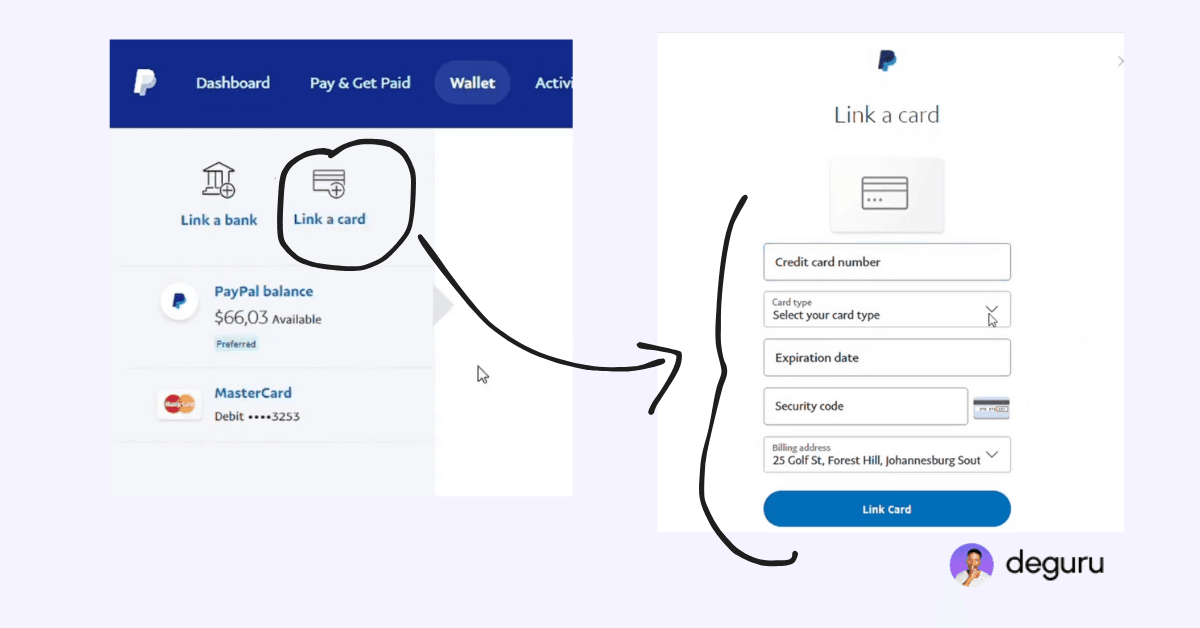
This step is required to Verify PayPal Account successfully.
Step 3: Verify Your Bank Account on PayPal
PayPal will deduct R30 from your bank account. At the very same time, give you a confirmation code under the reference of the deduction.
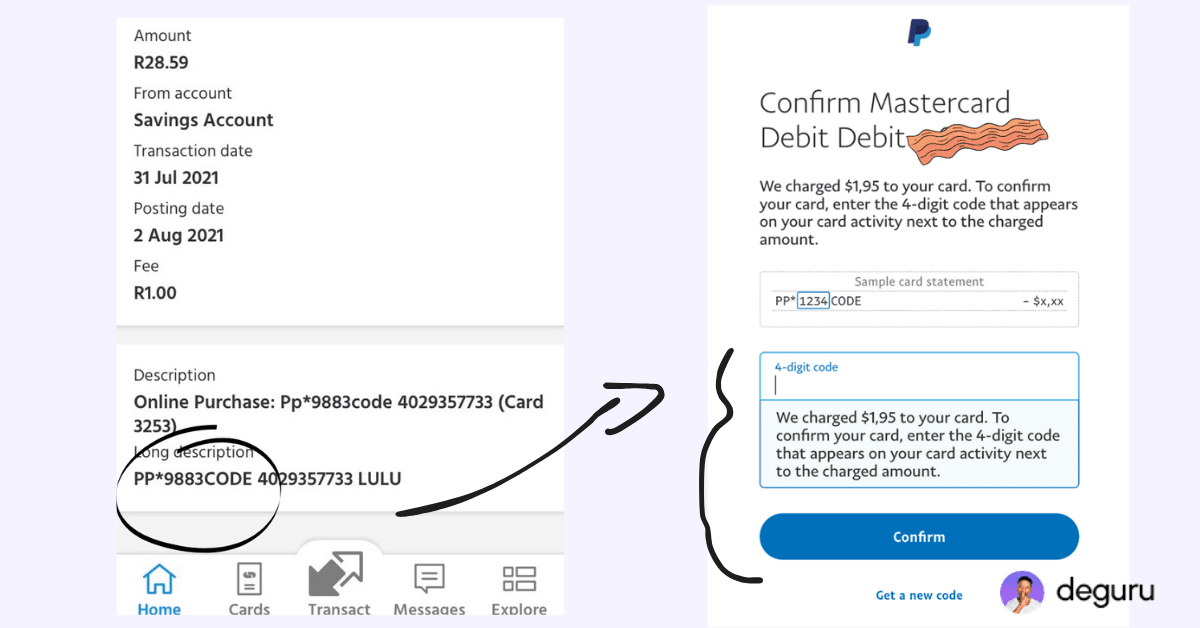
Don’t worry, they will refund the R30 once you confirm your code. If you are using Cepitec, make sure you turn on online purchase. Here is a guide to turn ON capitec online purchase and increase the limit.
Once confirmed, your bank account is officially linked. This step completes the Verify PayPal Account process. In some cases, they might ask for your KYC verifications.
Now you can link your PayPal account to FNB, then withdraw money from PayPal to any bank account.
FAQs
Yes, you can but your account will have limits and restrictions.
No, but FNB manages withdrawals for all South African banks.
Yes, but some companies won’t pay you without a verified PayPal account.